
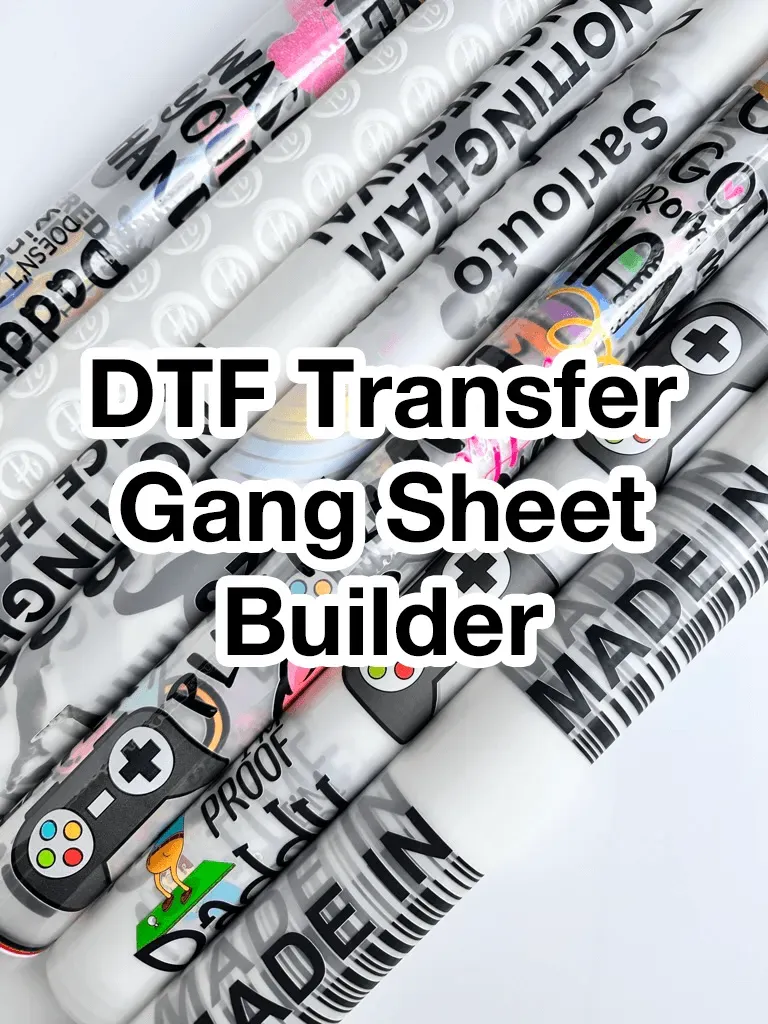
DTF Gangsheet Builder unlocks new efficiency for small businesses by letting you place several designs on one transfer sheet, reducing the number of separate prints and cutting setup time for each order. With this tool, you can streamline the DTF printing workflow, optimize color management, and shorten prepress cycles, which translates to faster turnarounds without compromising consistency. It also helps you optimize material usage by planning layouts that minimize waste on the printing media, making it easier to forecast consumable needs and stay on budget, helping you build trust. By switching to a gangsheet-driven approach, small shops can scale production without sacrificing color accuracy, lead times, or the ability to handle a variety of client requests; these improvements translate into more capacity per shift and happier customers. This guide introduces the concepts, features, and practical steps to start using the DTF Gangsheet Builder today, so you can begin optimizing your workflow and boosting output from day one.
To expand on this concept, consider a batch-oriented layout planner that groups several designs onto one sheet for transfer papers. This approach aligns with modern apparel printing workflows by coordinating color profiles, margins, and bleed across multiple designs. A flexible template library helps small businesses reuse proven arrangements, minimize misprints, and maintain consistent results without reworking every file. Software that supports these functions can integrate with your printer settings, stock management, and curing processes to reduce downtime. In practice, adopting a sheet-design mindset can deliver faster turnarounds, lower waste, and more predictable scheduling for client orders.
DTF Gangsheet Builder: A Catalyst for Streamlined DTF Printing Workflow
The DTF Gangsheet Builder is a dedicated tool that enables you to place multiple designs on a single transfer sheet, specifically tailored for the DTF printing workflow. By consolidating several designs into one gangsheet, you reduce idle time between prints, optimize printer utilization, and improve color consistency across lots. This approach minimizes setup changes and aligns with efficient prepress practices, helping small teams stay competitive while maintaining high output quality.
In practice, a well-constructed gangsheet accounts for margins, bleed, and spacing so that each design prints predictably on transfer sheets. For small businesses, the savings accrue not just from fewer printer passes but also from streamlined color management and better alignment between artwork and the transfer medium. The result is a smoother production cycle and more reliable results across orders.
Optimizing DTF Transfer Sheets with Smart Gangsheet Design for Small Business
Smart gangsheet design concentrates on the efficient use of DTF transfer sheets, limiting waste and maximizing the number of designs per sheet. By planning layouts with consistent margins and strategic grouping, you can cut material costs and shorten setup times, which directly supports a faster DTF printing workflow.
This mindset mirrors core small business printing solutions: predictable turnaround, scalable capacity, and repeatable results. When designs share color families or require similar ink usage, organizing them on one sheet reduces ink changes and improves color stability, delivering crisp, consistent transfers on every order.
DTF Gangsheet Software: Enhancing Production Through Intelligent Layout, Templates, and Exports
DTF gangsheet software provides a centralized platform to arrange multiple designs, apply grid-based layouts, and manage bleed and safe zones. With reusable templates and a built-in library, you can rapidly assemble gang sheets for recurring product lines, cutting setup time and ensuring consistency across runs.
Export options are a key strength of this software, offering high-resolution PNG, TIFF, or PDF outputs that align with your transfer sheets and curing process. Seamless integration with your DTF printer settings and color management workflows makes it easier to scale operations while maintaining accuracy and reducing rework.
Boosting Efficiency: Small Business Printing Solutions Through Batch Planning and Inventory Insight
Batch planning within the gangsheet workflow enables you to schedule multiple designs at once, optimizing sheet usage and shortening per-order lead times. By coordinating artwork, color constraints, and spacing, you can streamline both prepress and production phases, reinforcing the efficiency of the overall DTF printing workflow.
Inventory insights—and the ability to forecast transfer sheets and consumables—help ensure you never run short during peak periods. This visibility supports smarter purchasing, reduces downtime, and sustains consistent output across multiple orders, aligning with core small business printing solutions.
Best Practices for Designing Gang Sheets: Layout, Bleed, and Color Management for Consistent Output
Effective gang sheet design starts with disciplined layout decisions: plan before printing, use a clear grid, and maintain consistent margins and safe zones to accommodate transfer tolerances. Properly managed bleeds prevent white gaps after transfer and contribute to predictable color reproduction across all designs.
Color management is critical to maintain consistency across designs on transfer sheets. Align color profiles, standardize palettes where possible, and validate results with test sheets. By emphasizing bleed, alignment, and printing tolerances, you build a reliable, repeatable process that scales with demand.
Case Studies and Practical Outcomes: How Gangsheet Strategy Improves Turnaround for Small Brands
Real-world examples show how adopting a gangsheet-driven approach can cut setup time, reduce waste, and boost throughput for small clothing brands. When multiple designs share a single gangsheet, teams can fulfill more orders per shift without compromising quality, translating into faster turnarounds and happier customers.
These practical outcomes also highlight stronger margins and better planning. With improved organization of DTF transfer sheets and a structured gangsheet design for small business workflow, brands can handle seasonal drops more efficiently, achieving consistent color reproduction and reduced material waste across campaigns.
Frequently Asked Questions
What is the DTF Gangsheet Builder and how does it fit into the DTF printing workflow?
The DTF Gangsheet Builder is a specialized tool that lets you arrange multiple designs on a single transfer sheet, aligning with the DTF printing workflow to save time and reduce waste. It supports grid layouts, bleed handling, and export-ready formats for transfer sheets.
How can the DTF Gangsheet Builder help a small business with DTF transfer sheets and batch orders?
For small business printing solutions, the DTF Gangsheet Builder optimizes gangsheet design for small business by packing multiple designs onto one sheet, reducing setup time, speeding batch processing, and improving consistency across orders.
What features should I look for in DTF gangsheet software to optimize gangsheet design for small business?
Key features include an easy layout and grid system, color management and bleeds, templates and library support, printer and workflow integration, batch planning and inventory insights, and export options for high‑resolution formats.
Can the DTF Gangsheet Builder reduce setup time and increase throughput within a typical DTF printing workflow?
Yes. By consolidating designs on one gangsheet, it minimizes printer passes and setup changes, streamlines prepress steps, and improves throughput while maintaining color consistency.
How do I design an effective gangsheet for small business using the DTF Gangsheet Builder?
Begin with a plan of designs and colors, set consistent margins and safe zones, create a master gangsheet template, place designs strategically (grouping similar colors), run a small test sheet, and iterate based on results.
What common pitfalls should I avoid when using the DTF gangsheet software and transfer sheets?
Avoid misalignment by checking margins and alignment marks, prevent color shifts with standardized color profiles, ensure adequate bleed and safe zones, maximize sheet usage to avoid wasted space, and maintain consistent curing times.
| Topic |
|---|