
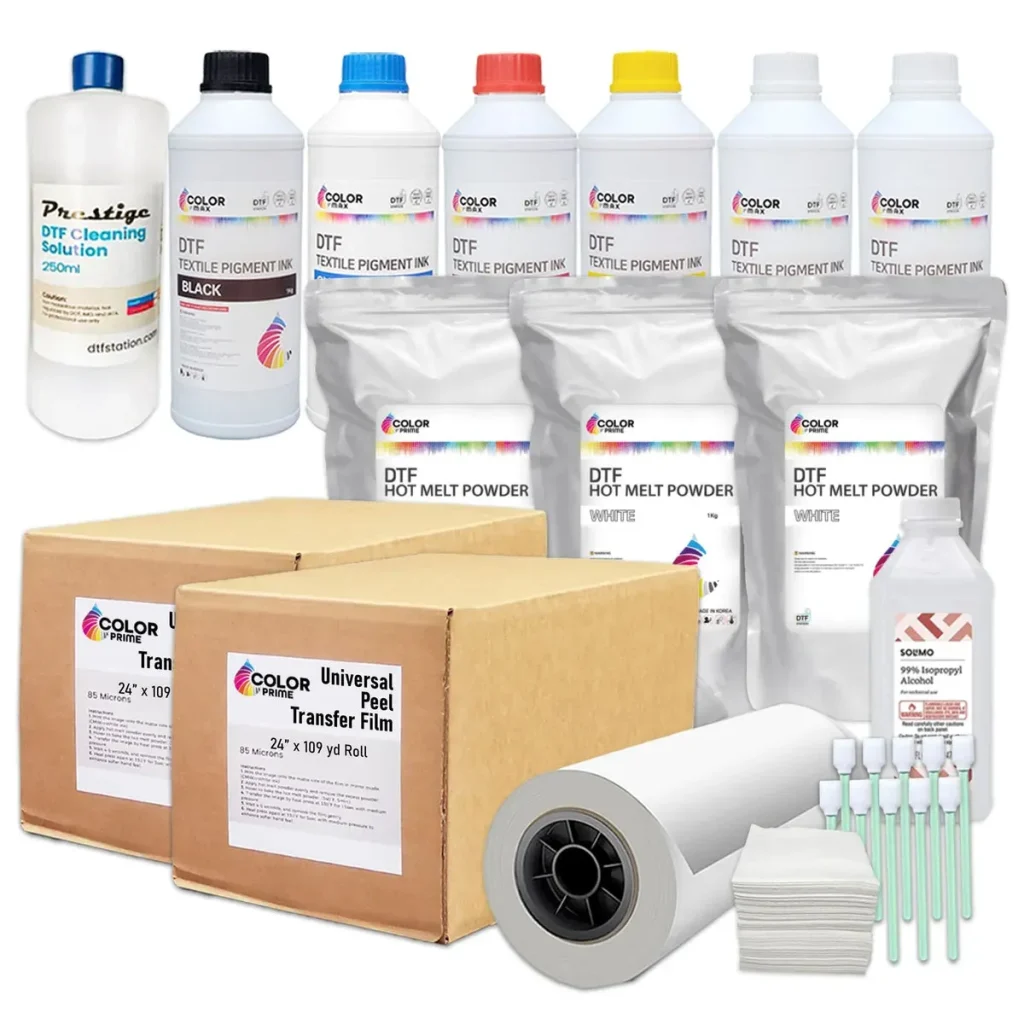
DTF Supplies empower creators to achieve consistent, high-quality transfers across a wide range of fabrics. This guide focuses on practical, actionable steps rooted in DTF printing troubleshooting to diagnose and fix common problems quickly. You’ll also get DTF heat press tips, from temperature control to pressure strategies, to help you optimize every press. A simple routine of DTF printer maintenance—cleaning heads, checking nozzles, and updating ICC profiles—prevents downtime and protects print consistency. Understanding Direct-to-film printing issues and how they arise sets the stage for a smoother workflow and better results.
Think of this space as film-based transfer printing, where a dedicated printer, heat applicator, and specially formulated inks come together to decorate textiles. When performance wavers, look for misalignments, color drift, or adhesion problems as signals to verify media compatibility, cure settings, and substrate handling. The toolkit expands beyond the machine to calibration sheets, color profiles, and quality transfer films that support reliable adhesion and vivid results. In practice, troubleshooting follows a structured sequence: verify consumables, confirm environmental conditions, test with standard garments, and refine press parameters.
Understanding DTF Printing: Core Components and Potential Issues
DTF printing combines a dedicated printer, transfer film, adhesive powders, and a heat press. When these parts fall out of sync, Direct-to-film printing issues can surface as color loss, misregistration, or dull outputs. Understanding how each element contributes to the final transfer helps you diagnose problems quickly and reduce waste.
This holistic view also highlights why regular DTF printer maintenance and careful workflow choices matter. By tracking ink quality, print head health, color profiles, and film compatibility, you can implement a proactive troubleshooting approach that minimizes downtime and supports consistent results.
Common DTF Printing Issues: Symptoms, Causes, and Quick Diagnoses
Faded or washed-out colors, color shifts, or image blur are common signals of root causes such as low ink levels, clogged nozzles, or an out-of-sync ICC profile. Recognizing these Direct-to-film printing issues early lets you intervene before your entire run is affected. Start with a nozzle check, confirm media compatibility, and validate your color management pipeline.
A systematic diagnostic flow helps you isolate variables: verify ink levels, perform head cleanings, test with a known-good ICC profile and transfer film, and compare results against a reference print. This is the essence of effective DTF printing troubleshooting, ensuring you catch the culprit without wasting material.
Essential DTF Supplies and Tools for Troubleshooting
A well-stocked setup reduces downtime when issues arise. Keep a reliable heat press, a precise digital thermometer, a pressure gauge, calibration sheets, quality transfer films and powders, proper pre-treatments, and a dedicated printer maintenance kit. These basics support steady, repeatable results and align with best practices in DTF printing troubleshooting.
Beyond consumables, maintain a clean workspace and store inks properly to protect print head health. Regular nozzle cleanings, film handling checks, and having spare cartridges on hand are practical aspects of DTF printer maintenance that help sustain long-term performance and reduce surprises.
Step-by-Step DTF Ink Troubleshooting: Color, Consistency, and Calibration
Begin with ink freshness, lot quality, and storage conditions. If you detect gaps or misaligned colors, run a nozzle check and perform a thorough print head cleaning as part of your DTF ink troubleshooting toolkit.
Calibrate color profiles for each media and transfer film, inspect the film for defects, and run test prints across different fabrics to verify consistency. When ink behavior deviates, revisit ICC profiles and perform iterative calibration to address Direct-to-film printing issues tied to ink performance.
Optimizing Heat Press and Film: DTF Heat Press Tips for Better Adhesion
To maximize adhesion, maintain stable temperature control, even pressure, and correct dwell time specific to each transfer film. Small deviations can cause edge halos, uneven transfer, or cracking, underscoring the importance of applying proper DTF heat press tips in every run.
Test with appropriate pre-treatment, select garments that match your film, and verify film compatibility with your ink system and substrate. Fine-tuning these heat-press details helps avoid common Direct-to-film printing issues and yields durable, vibrant transfers.
Maintenance and Best Practices for Long-Term DTF Printer Health
Regular maintenance is the quiet foundation of consistent output. Schedule routine nozzle cleanings, inspect heat press platens for wear, and keep a log of every print run to track performance. Incorporating DTF printer maintenance into your workflow reduces the risk of unexpected downtime.
Adopt storage, calibration, and workflow best practices that protect print quality over time. By documenting settings and anticipating wear, you minimize Direct-to-film printing issues and improve overall efficiency, supporting scalable production without sacrificing consistency.
Frequently Asked Questions
What are the most common Direct-to-film printing issues and how can DTF Supplies assist with DTF printing troubleshooting?
Direct-to-film printing issues often include faded colors, color shifts, image blur, cracking after heat cure, ghosting, and missing spots. DTF Supplies offers compatible inks, transfer films, and a structured approach to DTF printing troubleshooting. Start by checking ink levels and performing a nozzle check, then verify ICC profiles, transfer film compatibility, and heat press settings to restore quality.
What are the best DTF heat press tips from DTF Supplies to improve transfer quality?
Key DTF heat press tips include maintaining stable temperature, even pressure, and consistent dwell time for the chosen film and fabric. Use calibrated equipment, test swatches, and monitor platen performance. DTF Supplies recommends verifying temperature and pressure across the press and adjusting for fabric type to improve adhesion and color vibrancy.
How can I perform DTF ink troubleshooting with DTF Supplies to fix color or adhesion problems?
DTF ink troubleshooting starts with checking ink lots, storage, and running a nozzle check followed by a head cleaning. Calibrate color profiles for your media and film, and verify film compatibility. DTF Supplies guides on ink compatibility and color management to stabilize results.
What maintenance steps does DTF Supplies recommend for DTF printer maintenance to ensure consistent results?
Regular DTF printer maintenance includes routine nozzle cleaning, print head alignment checks, platen inspection, and film path cleaning. Keep firmware and ICC profiles up to date, and maintain a parts and consumables checklist. DTF Supplies emphasizes a repeatable maintenance routine to prevent downtime.
What is a practical step by step guide for addressing Direct-to-film printing issues with DTF Supplies?
Follow a structured flow: verify environment and settings, check ink levels and nozzles, test with a known good setup, assess transfer film compatibility, review heat press parameters, then document results and adjust as needed. DTF Supplies supports this repeatable troubleshooting process to improve consistency.
Which essential tools and consumables should I choose from DTF Supplies to support DTF printer maintenance and reliable troubleshooting?
Choose a reliable heat press, accurate thermometers, lint free wipes, calibration sheets, quality transfer films and powders, proper pre treatment supplies, and a printer maintenance kit. DTF Supplies helps you select compatible gear, ensure warranty coverage, and minimize downtime through a consistent toolkit.
| Topic | Key Points |
|---|---|
| Understanding DTF Printing and Why Issues Occur | DTF uses a printer, powdered adhesive films, and a heat press to fuse designs onto textiles. Results are best when all parts work in harmony; failure points arise from ink quality, print head health, color profiles, transfer film compatibility, fabric pre-treatment, and heat-press temperature/pressure. |
| Common DTF Printing Issues and Their Causes | Faded colors: low ink, clogged heads, or out-of-sync ICC/profile; non-recommended transfer film. Color shift: inconsistent ink distribution, calibration issues, media mismatch. Image blur: incorrect resolution/DPI or misaligned print head. Cracking/peeling: improper post-press adhesion (temp/time/pressure) or film/substrate mismatch. Ghosting: ink spread beyond design due to film or over-wetting. White/missing spots: air pockets or incomplete color layer fusion during heat press. |
| The Right Tools for Troubleshooting (DTF Supplies You Should Have) | Reliable heat press with adjustable temperature/pressure; accurate digital thermometer and pressure gauge; lint-free wipes and isopropyl alcohol; calibration sheets or test swatches; quality transfer films and compatible powders; proper pre-treatment and clean garments; printer maintenance kit (nozzle cleanings, swabs, replacement inks); color management tools and up-to-date ICC profiles. |
| A Step-by-Step Troubleshooting Guide | 1) Confirm environmental and process basics. 2) Check basics: ink levels, nozzles, print head health, color profiles. 3) Test with a known-good setup. 4) Examine transfer film and pre-treatment. 5) Review print quality before pressing. 6) Optimize heat press settings. 7) Post-press inspection. 8) Document findings and adjust workflows. |
| Best Practices for Tools and Consumables (DTF Supplies) | Use a heat press with stable temperature control and even pressure; keep ink cartridges fresh and properly stored; select transfer films/powders designed for your ink system and fabrics; maintain a clean printing environment and perform regular nozzle cleanings; use appropriate pre-treatment and garments per guidelines to support adhesion and color vibrancy. |
| Step-by-Step Tips for DTF Ink Troubleshooting | Verify ink lot quality and storage; run nozzle checks and thorough cleanings; calibrate color profiles for the specific media/film; inspect transfer film for defects; perform test prints on multiple fabrics to ensure consistency. |
| Maintaining Your DTF Supplies for Longevity and Consistency | Schedule regular maintenance, replace worn parts, and log print runs. Clean heads and nozzles on a planned cycle; inspect heat press platens for wear; ensure film handling mechanisms are clean; test dye migration/color stability with calibration sheets; store inks/consumables properly. |
| Choosing the Right DTF Supplies for Your Needs | Align choices with typical workloads, garment types, and desired finish. Consider fabrics (cotton, blends, darks/lights), operation scale, automation, brand compatibility, warranty, and the availability of replacement parts and consumables to minimize downtime. |
Summary
DTF Supplies are central to achieving reliable, repeatable results in DTF printing. This guide highlights how understanding the print process, identifying common issues, and using the right troubleshooting tools can reduce downtime and improve transfer quality. By focusing on printer health, color management, film compatibility, heat-press conditions, and consistent maintenance, you can deliver professional transfers more efficiently. The emphasis on DTF Supplies—paired with a systematic workflow—helps hobbyists refine skills and professionals scale production while maintaining quality.